Running
Press ▶ Run. For most graphs that starts a server job. Close the browser, reopen later, and the canvas still shows progress and results.
Where the run actually lives
Section titled “Where the run actually lives”| Control | Where it runs | Survives closing the tab? |
|---|---|---|
| ▶ Run (full graph, no interactive gates) | Server job (POST /api/run/workflow) | Yes |
| ≫ | Same server path. Explicit “run detached / approve-all” | Yes |
| ▶ Run with approval / live-handoff gates | In the browser tab (so splice still works) | No. Use ≫ + approve-all for unattended |
| Partial run (right-click Run from / Test) | In the browser tab | No |
Run from opens a confirm with counts: re-run (in scope) · reuse (seeded upstream) · missing. Detached workflow jobs can pass scope and optional replayFromJobId for the same idea server-side.
After a server run starts, you can quit the tab. Reopen the workflow: threadle re-attaches to any still-running jobs for that graph, keeps mid-run node statuses, and polls until outputs land on the canvas.
Inspect the same jobs from a terminal while the server is up. See Detached runs and the CLI.
Before the run starts
Section titled “Before the run starts”threadle performs a readiness check and refuses to start if something can’t possibly work:
| Blocker | Fix |
|---|---|
| Agent node without a model | Pick one in the inspector |
| Required input not wired | Wire it, or mute the node |
| Required named port empty | Wire that port |
| Context node with no payload and no session source | Materialize it, or wire a session |
| Skill / rules node with nothing selected | Pick the file |
| Cycle in the graph | Break it. A cycle can never finish |
Offending nodes flash red on the canvas and the Issues tab lists them (the dock opens on that tab). Soft problems. Dangling outputs, unused params. Appear in Graph lint and never block.
Server jobs also refuse context nodes without a payload and gates without approve-all. Same rules as detached.
Params
Section titled “Params”If the workflow declares params, threadle asks for them first, pre-filled with defaults and validated against their types. A bad value stops the run before any agent is called.
Watching a run
Section titled “Watching a run”The bottom dock shows the Run log when you open it (it does not pop open on start/stop): node starts and finishes, durations, token and spend lines, circuit breaker evaluations, and stderr from custom nodes. On the canvas, the running node glows and its inbound wire marches.
Background workflow tabs show a thin progress strip. The focused tab uses the under-tabbar rail instead.
At run start, Output and wired Data sinks are cleared so the previous capture does not linger. Use ❐ on the Output card or inspector to copy captured text after a run.
Keep an eye on Issues before you press ▶ again, and Graph lint for soft hygiene.
Gates, park, and splice
Section titled “Gates, park, and splice”| Gate | Behavior |
|---|---|
| ✓ Approval | Parks until you approve or reject. Edits are a splice — downstream sees your text |
| Live handoff | Parks for interactive continuation in the provider UI |
| Circuit breaker park | Same editable dock as approval when content/spend/retries trip |
| Control | Splice? | Tab can close? |
|---|---|---|
| ▶ Run with approval / live-handoff | Yes | No — run stays in-tab |
≫ or server job + --approve-all | No — gates auto-pass | Yes |
Use ▶ when a human must rewrite agent output. Use ≫ or threadle run … --approve-all for CI, cron, or long jobs where checkpoints should not block.
Stop ends an in-tab run. For a server job, cancel from Runs, or threadle stop <jobId>.
Graph settings (≔)
Section titled “Graph settings (≔)”| Setting | Effect |
|---|---|
| parallelism | Max independent nodes executing at once inside one graph. See Parallelism |
| spend ceiling (USD) | Abort when the run’s tracked spend reaches this ceiling |
You can run several workflows at once. Each graph tracks its own server job. ▶ on one tab does not block ▶ on another.
Parallelism across workflows is “start several server jobs” (several ▶ / ≫ / threadle run --detach), not a higher parallelism.
Partial runs
Section titled “Partial runs”Right-click a node:
- Run from this node. That node plus every descendant
- Test this node. Only that node
These stay in-tab (the server executor has no scope filter). Out-of-scope nodes contribute their last known result read-only instead of re-executing. See Graph & wires.
After the run
Section titled “After the run”| Where | What you get |
|---|---|
| Output nodes | The captured text, rendered per the node’s render mode (persisted on disk for server jobs) |
| Canvas | Result session nodes for in-tab agent runs. Server jobs write statuses/outputs back to the graph |
| Runs view | One row per job: status, duration, errors |
| Sessions | The real sessions agent steps created |
| Statistics | Tokens and costs for what you just spent |
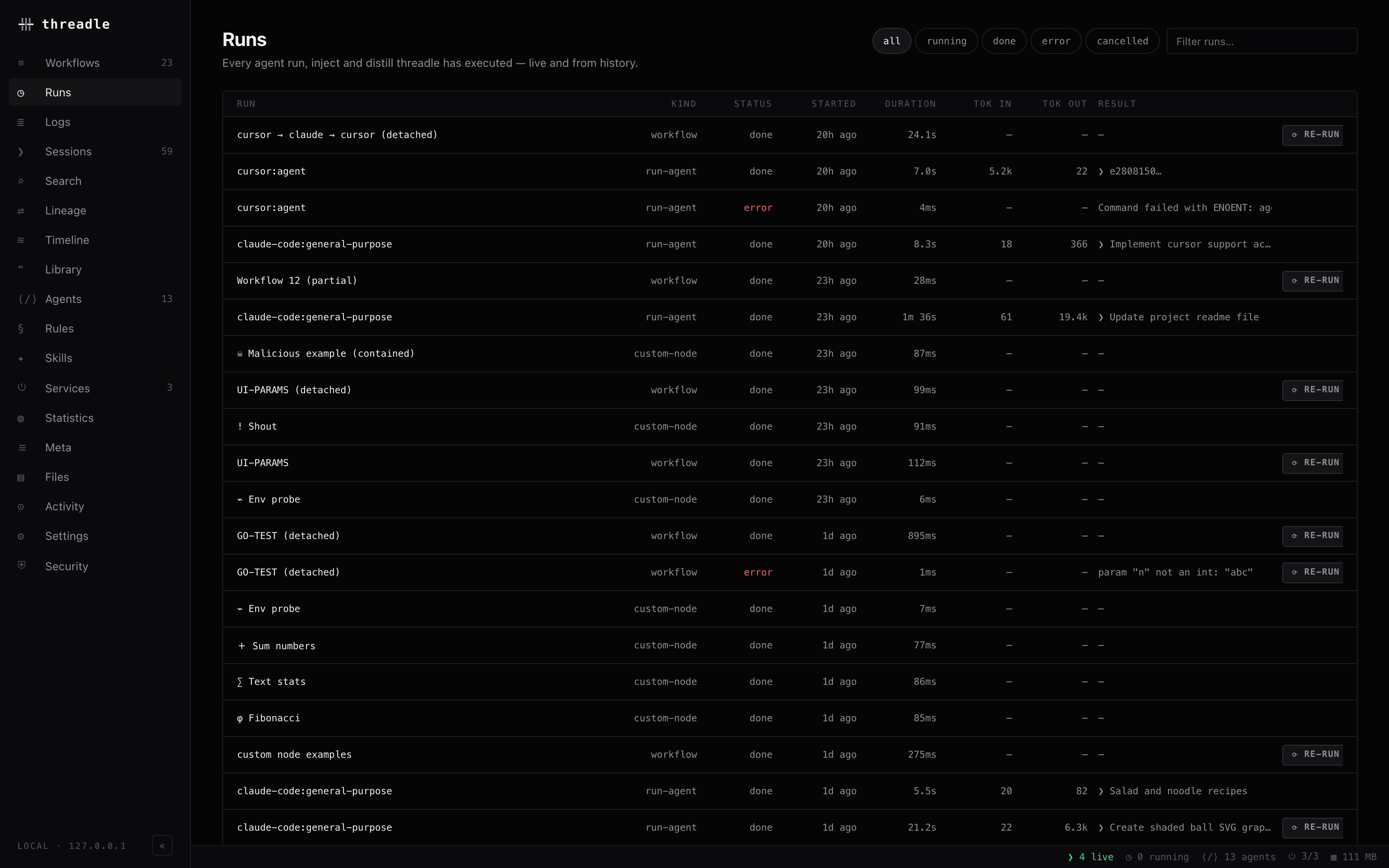
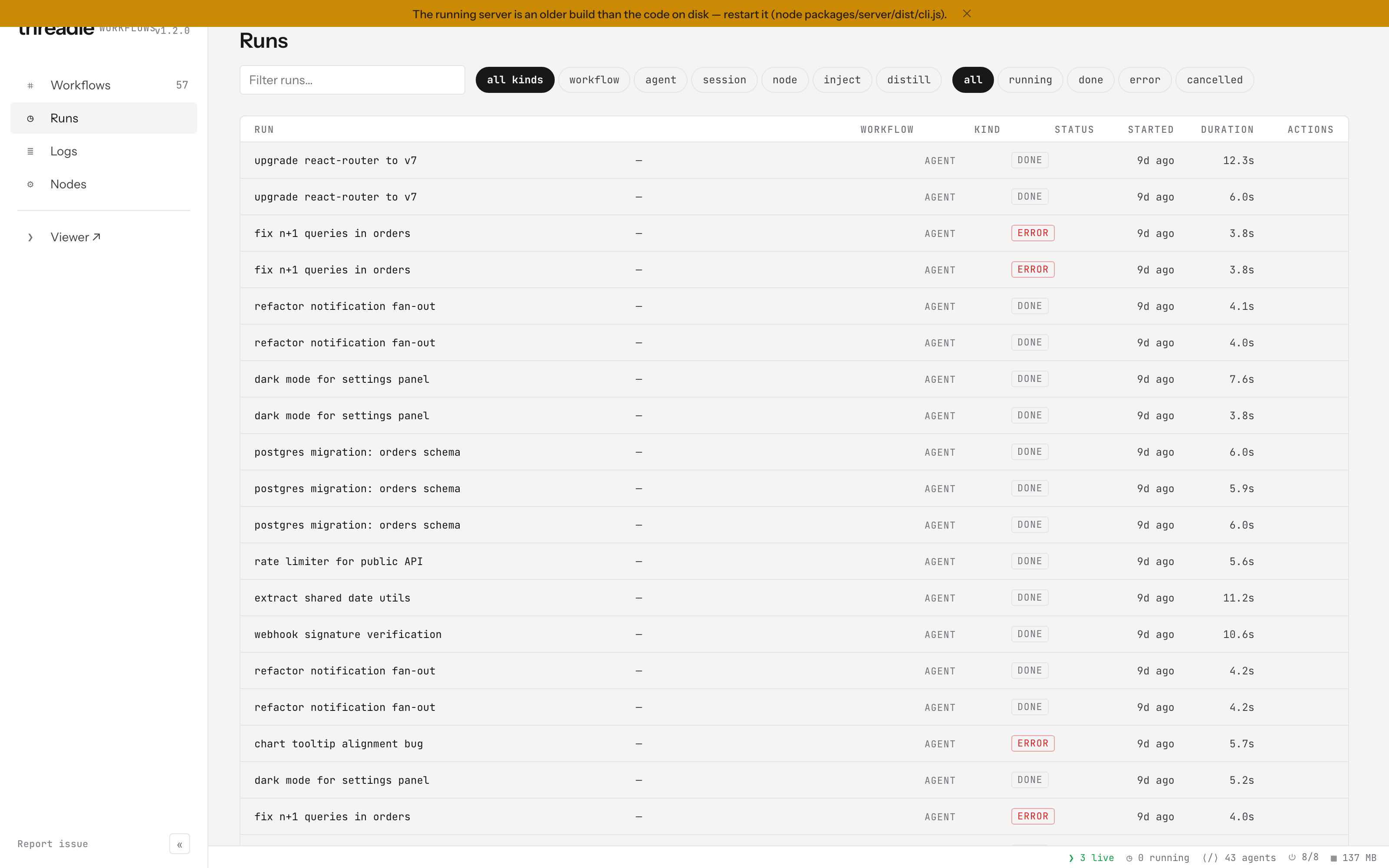
The Runs view keeps the whole history. Workflow runs, agent runs and custom-node runs, with status, duration, tokens and result.
Re-running a graph whose agent has a linked session continues that conversation rather than starting fresh.
Running it again, elsewhere
Section titled “Running it again, elsewhere”Same graph, same server executor: Detached runs, threadle run, or portable JSON on another machine. Portable graphs.
CLI tips
Section titled “CLI tips”Same readiness rules as the canvas. Params from --param, working directory from --dir:
threadle run plan-implement-review --param task="…" --approve-all --dir ~/code/my-projectthreadle run my-graph --watch --approve-all --dir . # re-run on graph mtime / git changesthreadle jobsthreadle attach <jobId>threadle logs <jobId>threadle stop <jobId>threadle services # before a long unattended batchthreadle open session <id>threadle daemon # triggers from ~/.config/threadle/triggers.jsonPartial re-runs from the terminal: detached jobs accept scope and optional replayFromJobId (same idea as Run from in the UI). See Patterns.
Related
Section titled “Related”- Detached runs. Close the browser, CLI jobs, parallel workflows
- Errors & retries. When a node fails
- Recipes. Job graphs with contracts
- Examples. Teaching set