Map
◈ Map (/map) is the project atlas: layers of everything threadle knows about one directory, drawn as a graph you can expand, filter, and jump from.
It sits in Review next to Sessions. Sessions is the flat list across all projects. Map is the spatial overview of one project.
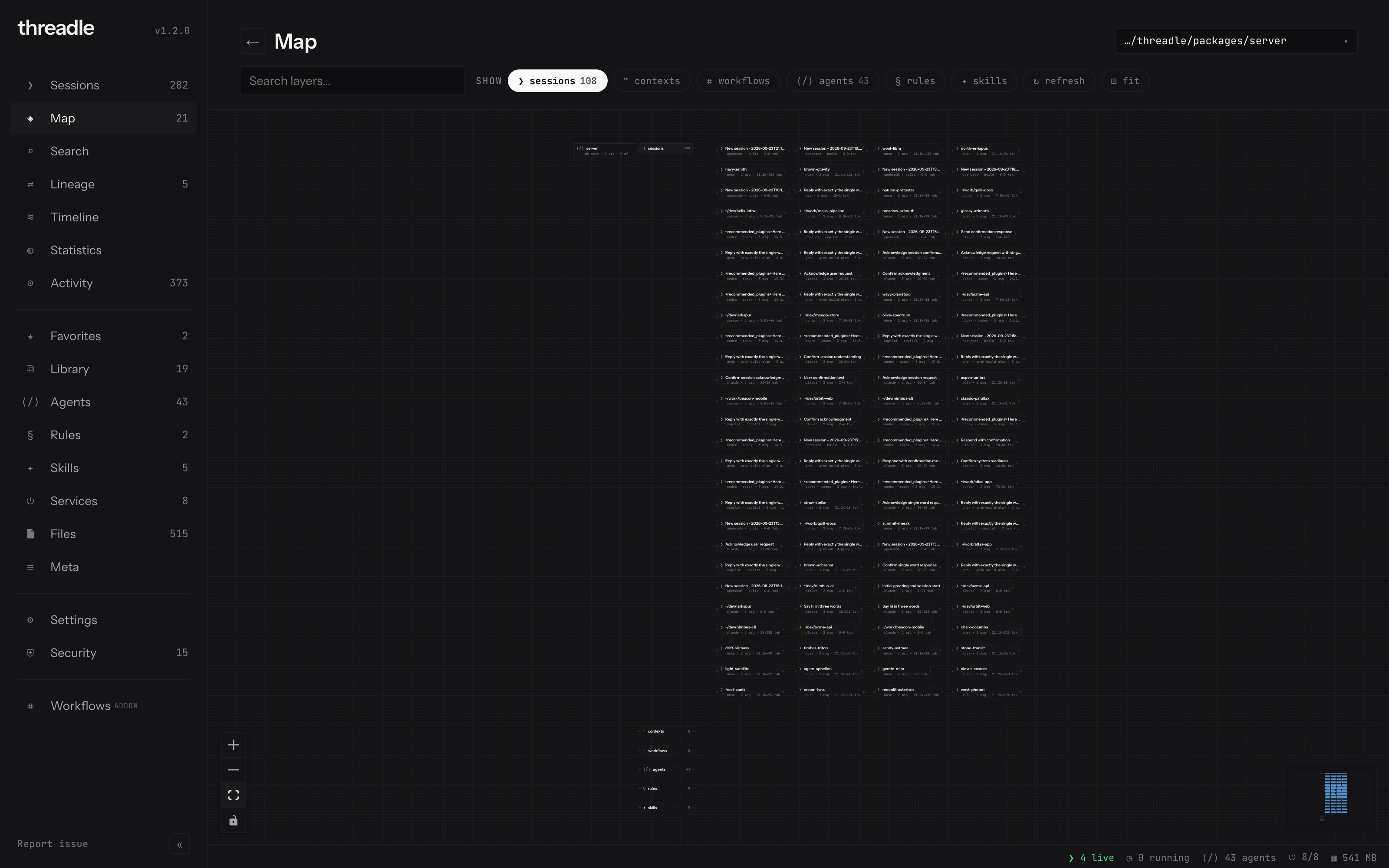
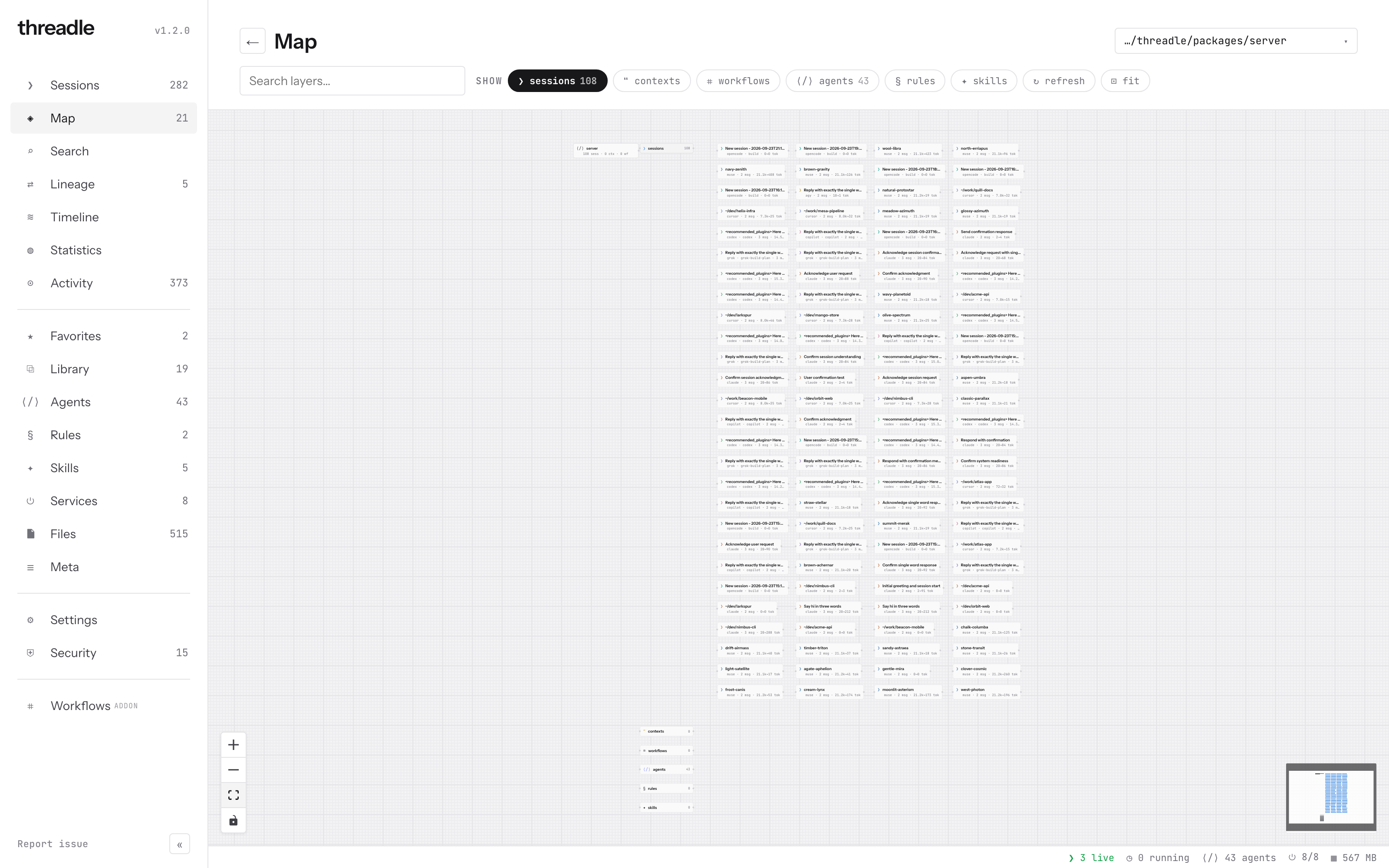
Hubs for each layer, leaves for individual sessions / contexts / graphs, wires for parent/child, handoff, and graph↔session links.
Entering a project
Section titled “Entering a project”Without ?dir=…, Map lists projects that have sessions (and related activity), with chips for provider and ● active, plus sort / filter. Open a row (or pick from the project switcher once inside) to load /map?dir=<absolute-path>.
The header summary then shows counts: sessions · contexts · workflows for that directory.
Layers (hubs)
Section titled “Layers (hubs)”Six hubs hang off the project root. Toggle them with the show chips (click = on/off. Right-click = only / except / add via the filter menu).
| Hub | Glyph | What you see |
|---|---|---|
| sessions | ❯ | Sessions in this project (subagents as children when present) |
| contexts | ❝ | Library payloads distilled from or injected into those sessions |
| workflows | ⌗ | Saved graphs that reference sessions in this project |
| agents | ⟨/⟩ | Agent definitions in scope for the project |
| rules | § | Rules files found under the project |
| skills | ✦ | Skills found under the project |
Edges include project→hub, hub→leaf, session parent/child, context-from / context-inject, graph-uses-session, and session-uses-agent. Data comes from GET /api/atlas?dir=… (read-only over the same stores as Sessions / Library / Files).
Controls
Section titled “Controls”| Control | Behaviour |
|---|---|
| Project switcher | Jump to another project without leaving Map |
| Search layers… | Filter leaves by title / id / path text |
| ↻ refresh | Rebuild the atlas for this dir (keeps which hubs are open) |
| ⊡ fit | Fit the visible graph |
| Hub chips | Show / hide whole layers |
Open hubs and expand state are remembered per project. Click a leaf for a detail aside with links into blueprint, lineage, Sessions, Library, or the canvas as appropriate.
When to use it
Section titled “When to use it”| Use Map when… | Prefer instead when… |
|---|---|
| You want “what lives in this repo” in one picture | You need every session on the machine → Sessions |
| You’re tracing handoffs / subagents inside one project | You need global FTS → Search |
| You’re hunting rules / skills next to the sessions that used them | You need cost / token charts → Statistics |
Related
Section titled “Related”- Sessions. List + status across providers
- Lineage. Payload paths across tools
- Context library. Content-addressed briefs
- Tour. Where Map sits in the sidebar
- Providers. Storage roots the atlas reads